 LiveWallpaper
Videos, GIFs, and web pages
Play your own videos and animated images right on the desktop.
mp4 / mov · GIF / APNG / WebP · Web & video URLs (experimental)
A macOS app that plays local videos and animated images on your desktop, with automatic pause when covered by other windows and reduced load on battery power.
Features
Playback stops when nothing can see it and gets lighter on battery. On top of that, every display and every hour can have its own wallpaper.
Measured on a MacBook Air (M5) playing one 1080p 30 fps video. Results vary with the video and display setup.
Play your own videos and animated images right on the desktop.
mp4 / mov · GIF / APNG / WebP · Web & video URLs (experimental)
Playback pauses while windows cover the screen. On battery, switch to lightweight playback or a still frame.
Auto-pause · Lighter at 10% battery · 30 / 60 fps cap
Assign a different wallpaper to each display and each Mission Control desktop.
Multiple displays · Per Space · Lock screen (macOS 26+)
Wallpapers follow your appearance, weekday and time of day, or Focus mode.
Light / Dark · Sunrise & sunset · Focus
Cut to the part you want, loop with an intro, and save zoom and position per display.
Trim · Loop start · Zoom & offset
The wallpaper reacts to your pointer. No permissions needed, and it stops while you use other apps.
Parallax · Spotlight · Trail & ripple
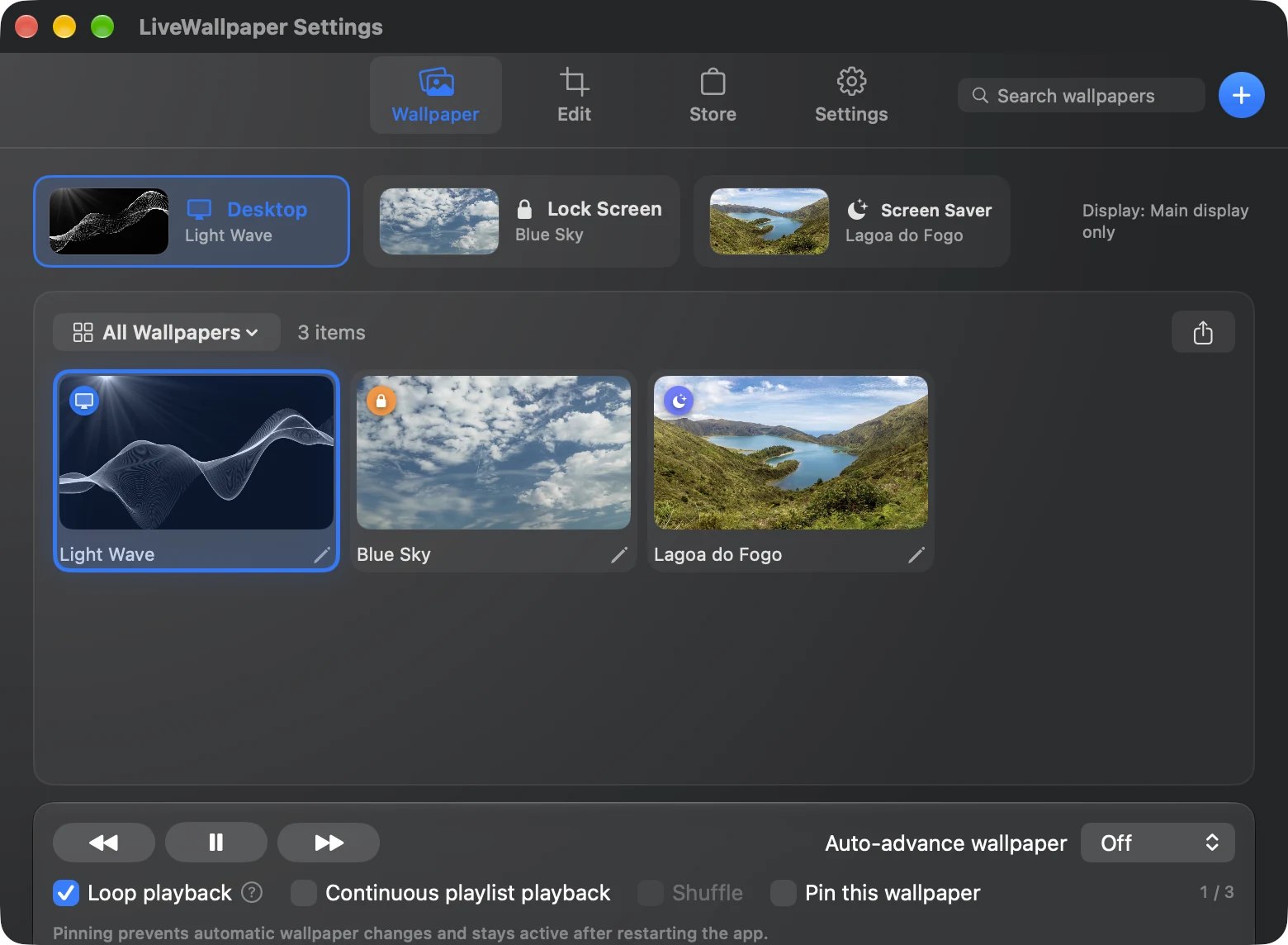
Keep videos and photos in one library, and give the desktop, lock screen, and screen saver each their own wallpaper.
Yes. LiveWallpaper is open source under the MIT License, and the source code is on GitHub.
Playback stops while other windows cover the screen, and decoding resources are released if it stays covered. Playing one 1080p 30 fps video on a MacBook Air (M5) used a few percent of CPU and about 60–110 MB of memory. Results vary with video resolution and the number of displays.
The app is distributed without Apple notarization. Choose Open Anyway in System Settings › Privacy & Security to launch it. All of the source code is public, so you can also build it yourself.
Videos such as mp4 and mov, plus GIF, APNG, and animated WebP, which are converted to video on import. Web pages and YouTube or Vimeo URLs are available as an experimental feature.
Use the built-in automatic updates. If you installed with Homebrew, brew upgrade --cask livewallpaper also works.
Use Export Diagnostics… under Settings › Other › Support, then attach the file to a GitHub issue via Report a Problem…. Video files and web wallpaper URLs are not included.
Requires macOS 13 or later. Install via Homebrew or download the DMG.
Latest: v1.5.0, released 2026-11-01
brew install --cask narcissus-tazetta/tap/livewallpaper